AI Agent Development
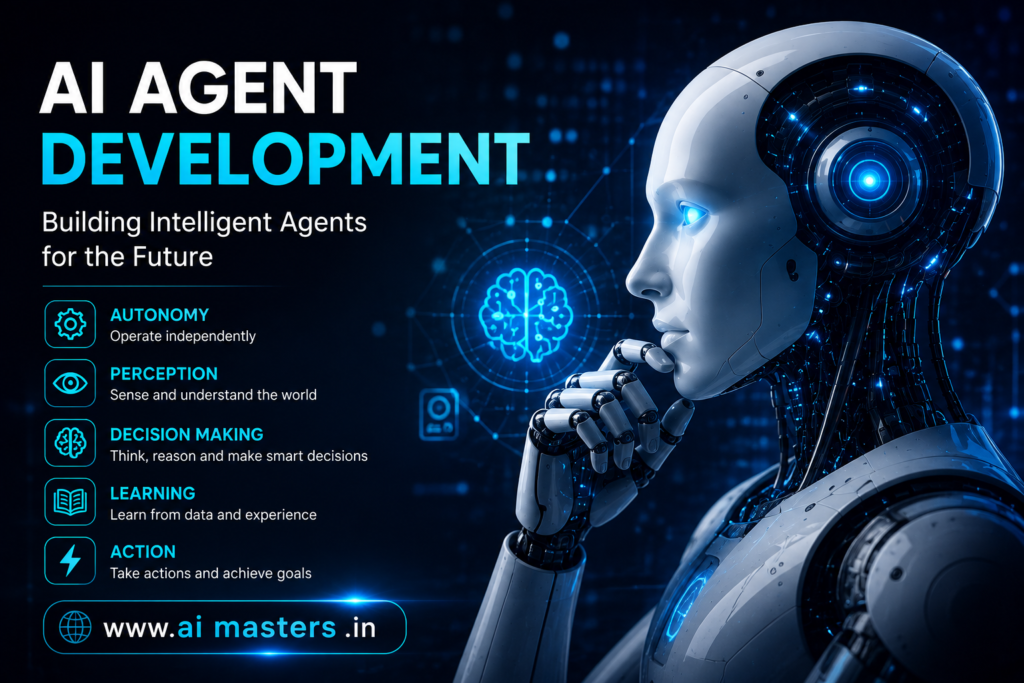
Agentic AI Development AI agent development has moved beyond simple chatbot experiments. Modern AI agents can interpret a goal, reason about the task, use external tools, retrieve information, take actions, evaluate results, and continue working until the task is completed or requires human intervention:
The challenge is that an AI agent that works in a demonstration is not necessarily ready for real users. A production agent needs reliable tools, controlled permissions, measurable evaluation, monitoring, and a clear way to recover when something goes wrong. Current agent-development guidance increasingly treats the process as a lifecycle of build, test, deploy, monitor, and iterate, rather than a one-time coding exercise.
This guide explains AI agent development from the fundamentals through architecture, development tools, Python implementation, testing, deployment, projects, and the skills required to become an AI agent developer.
Quick Answer: What Is AI Agent Development?
AI agent development is the process of designing, building, testing, deploying, and improving AI systems that can pursue defined goals by reasoning about tasks, using tools, accessing information, and taking actions.
Unlike a basic LLM application that generates an answer from a prompt, an AI agent can operate through a multi-step process:
Goal → Reason → Plan → Use tools → Observe → Evaluate → Act
An agent might search a knowledge base, call an API, update a database, analyze information, generate a report, or ask a human for approval before performing an important action.
The exact degree of autonomy varies. Not every AI agent needs to operate independently, and many useful systems combine autonomous reasoning with predefined workflows and human oversigh
What Is AI Agent Development?
AI agent development combines traditional software engineering with generative AI and LLM-based reasoning.
A typical AI agent contains a model at its core, but the model is only one part of the system. Developers also need to define the agent’s instructions, tools, available data, state or memory, decision boundaries, evaluation criteria, and runtime environment.
For example, imagine a customer-support AI agent.
A simple chatbot might receive:
“Where is my order?”
and generate a response based on the information available in its context.
An AI agent could instead:
- Understand the customer’s request.
- Identify the order number.
- Call an order-management API.
- Retrieve the current delivery status.
- Interpret the result
- Respond to the customer.
- Escalate to a human if the order has a problem it cannot resolve.
This difference is important. AI agent development is not simply prompt engineering. It is the engineering of a system around an LLM so that the system can reliably perform useful tasks.
AI Agent vs Chatbot
A chatbot generally focuses on conversation and response generation. An AI agent can be designed to complete a goal involving multiple steps, tools, data sources, and actions.
AI Agent vs Generative AI
Generative AI describes systems capable of generating content such as text, images, audio, or code. AI agents can use generative AI models as their reasoning or language component, but add capabilities such as tools, state, planning, and action execution.
How Does AI Agent Development Work?
Key Components of AI Agent Development
. Large Language Model
The LLM is the reasoning engine. What matters for agents is instruction following, reliable tool calling and structured output — not leaderboard scores.. Prompt and Instructions
The system prompt defines role, scope, tone, escalation rules and explicit prohibitions. Treat it as versioned source code, because behaviour changes when it changes.. Memory
Short-term memory holds the current conversation and scratchpad. Long-term memory stores durable facts, preferences and past outcomes in a database or vector store. Conversation state ties both to a session.- Web search and scraping
- SQL and document databases
- Email, messaging and calendars
- Calculator and code execution
- CRM, ticketing and internal services
- Any REST or GraphQL API
.APIs and External Systems
Agents inherit the reliability of the systems they call. Rate limits, auth scopes and sandboxed credentials belong in the design, not in a later hardening pass..Planning and Reasoning
Decomposition, ordering and dependency handling — the part of the agent that decides what happens before what..Retrieval and RAG
Retrieval grounds the agent in your data. Embeddings plus a vector database give the agent facts it was never trained on; agentic RAG lets it decide when and what to retrieve..Agent State
State is what makes multi-step work resumable: current step, intermediate results, tool history and error counts..Guardrails
Input filtering, output validation, allowed-action lists, spend caps and human approval for high-impact actions..Evaluation
A test set of real tasks with expected outcomes. Without one, every change to the prompt is a guess.AI Agent Development Process
This eight-step AI agent development process works for a weekend project and scales to an enterprise deployment. The order matters: teams that skip straight to frameworks usually rebuild the agent twice.
Step 1 — Define the AI Agent’s Goal
Write down the task, the user, the expected output, the decisions the agent may make on its own, and — most importantly — what it must never do. A narrow agent that completes one workflow beats a general assistant that half-completes ten.
Step 2 — Select the AI Model
Compare capability, latency, cost per task, context window, structured-output support and tool-calling reliability. Many production systems route: a small model for routine steps, a stronger one for planning or recovery.
Step 3 — Design the Agent Architecture
Choose the simplest shape that fits: a single agent, a deterministic workflow with LLM steps, a multi-agent team, or an event-driven design for long-running work.
Step 4 — Connect Tools and APIs
Wrap each capability as a typed tool with validation. Start with three or four tools; accuracy drops when an agent must choose among twenty.
Step 5 — Add Memory and Knowledge
Add conversation state first, retrieval second. Chunking, metadata filters and citation of retrieved sources do more for quality than swapping vector databases.
Step 6 — Implement the Agent Loop
Cap iterations, log every step, and make failure a first-class path: a tool error should feed back as an observation the agent can reason about.
Step 7 — Test and Evaluate
Measure accuracy, tool-use success, task completion, hallucination rate, latency and cost on a fixed task set before and after every change.
Step 8 — Deploy and Monitor
Ship behind an API, log traces, alert on failure spikes and cost anomalies, and version prompts, tools and models together so you can roll back a behaviour regression.
AI Agent Architecture
Single-Agent Architecture
One model, one loop, a handful of tools. Easiest to debug and the right default for most AI agent applications.
Workflow-Based Architecture
Developer-defined steps with model calls inside them. Predictable, cheap and often the correct answer when the process is already known.
Multi-Agent Architecture
Specialised agents — researcher, writer, reviewer — coordinated by a supervisor. Powerful for open-ended work, but coordination cost and token spend rise quickly.
Agentic RAG Architecture
The agent decides when to retrieve, reformulates queries, checks whether the retrieved evidence answers the question and retrieves again if not.
Best Programming Languages for AI Agent Development
Python
Python dominates AI agent programming because the frameworks, vector database clients, evaluation libraries and notebooks all target it first. For prototyping and research it is the shortest path.
JavaScript / TypeScript
TypeScript is the natural choice when the agent ships inside a web product: one language across UI, server functions and streaming responses, with typed tool schemas
Other Languages
Model APIs are just HTTP, so Java, C# and Go are perfectly viable — especially when the agent must live next to existing enterprise services.
AI Agent Development Frameworks
Frameworks remove boilerplate; they do not remove design decisions. Pick one based on the stage you are at, not on popularity.
LangChain
Broad integrations for models, tools, retrievers and memory — good for wiring things up fast.
LangGraph
Graph-based, stateful execution with checkpointing, retries and human-in-the-loop pauses.
CrewAI
Role-based multi-agent teams with explicit responsibilities and task delegation.
AutoGen
Conversational multi-agent patterns where agents negotiate a result between themselves.
OpenAI Agents SDK
A lean loop with handoffs and built-in tracing for teams inside the OpenAI ecosystem.
Google ADK
Agent development aligned with Google’s model and cloud stack.
AI Agent Development Tools
The modern agent stack is layered. Thinking in categories keeps you from mistaking a framework for a platform.
Model Providers
Hosted frontier models, smaller fast models and open-weight models you host yourself.
Agent Frameworks
The orchestration layer that runs the loop, holds state and routes tool calls.
Vector Databases
Embedding storage and similarity search for retrieval and long-term memory.
Tool / API Integration
Typed schemas, auth handling, sandboxes and code-execution environments.
Observability and Evaluation
Tracing every step, replaying failures, scoring runs and tracking cost per task.
Deployment Platforms
Serverless functions, containers, queues and schedulers for long-running agents.
MCP and Tool Connectivity
Standardised connectors let one agent reuse tools across clients instead of hand-wiring every integration.
How to Build an AI Agent With Python
import json
from openai import OpenAI

client = OpenAI()

def get_weather(city: str) -> str:
    return f"22C and clear in {city}"

TOOLS = [{
    "type": "function",
    "function": {
        "name": "get_weather",
        "description": "Get current weather for a city.",
        "parameters": {
            "type": "object",
            "properties": {
                "city": {
                    "type": "string"
                }
            },
            "required": ["city"]
        }
    }
}]

def run(user_input, max_steps=5):

    messages = [
        {
            "role": "user",
            "content": user_input
        }
    ]

    for step in range(max_steps):

        reply = client.responses.create(
            model="gpt-4.1",
            input=messages,
            tools=TOOLS
        )

        if not reply.tool_calls:
            return reply.content

        for call in reply.tool_calls:

            args = json.loads(call.function.arguments)

            result = get_weather(**args)

            messages.append({
                "role": "tool",
                "tool_call_id": call.id,
                "content": result
            })

    return "Stopped: step limit reached."


print(run("What is the weather in Hyderabad?"))AI Agent Development Use Cases
| INDUSTRY | AI AGENT EXAMPLE |
|---|---|
| Healthcare | Patient information assistant (human-reviewed) |
| Finance | Financial research and summarisation agent |
| E-commerce | Shopping and order-support agent |
| Marketing | Campaign research agent |
| Sales | Lead qualification agent |
| Education | Personalised learning assistant |
| Software | Coding and code-review agent |
| Travel | Itinerary planning agent |
| Customer service | Support resolution agent |
| Cybersecurity | Security alert triage agent |
AI Agent Development Challenges
Most agent projects fail on operational issues, not on model quality. These are the failure modes to design against from day one.
- Hallucinations presented as confident results
- Incorrect or unnecessary tool usage
- Security risks from broad credentials
- Prompt injection via retrieved or web content
- Data privacy and PII leakage into prompts
- High token costs on multi-step runs
- Latency stacking across tool calls
- Unpredictable behaviour between runs
- Evaluation difficulty for open-ended tasks
- Debugging long multi-step workflows
- Over-autonomy on irreversible actions
More autonomy is not automatically better. Every additional decision the model owns trades predictability, cost and reliability for flexibility. Give the agent the smallest decision space that still solves the problem.
How to Test and Evaluate AI Agents
AI agent evaluation replaces “it looked right” with numbers. Build a fixed set of real tasks with expected outcomes, then score every version of the agent against it.
- Task completion rate
- Tool-call accuracy
- Response quality
- Hallucination rate
- Latency per task
- Token usage
- Cost per task
- Failure and retry rate
- Safety and injection tests
- Human review scores
AI AGENT DEVELOPMENT CHECKLIST
- Goal achieved?
- Tool selected correctly?
- Correct data retrieved?
- Correct action performed?
- Output valid and schema-conformant?
- No unsafe or irreversible action taken?
- Cost acceptable?
- Latency acceptable?
AI Agent Deployment and Monitoring
Deployment is where a demo becomes a product. Expose the agent behind an API or job runner, containerise it, and run it on infrastructure that tolerates long, bursty tasks.
Then instrument it: structured logs for every step, distributed tracing across tool calls, dashboards for latency and spend, alerts on failure spikes, and graceful error handling that degrades to a human handoff. Version prompts, tool definitions and model choices together — a silent model update can change behaviour overnight, so re-run your evaluation set before promoting it.
A workflow follows a predefined path. An agent chooses the path at runtime. Knowing which one you need is the most cost-effective decision in the whole project.
WORKFLOW — PREDEFINED
AGENT — DYNAMIC
If the steps are known, stable and auditable, build the workflow — it is cheaper, faster and easier to test. Reach for an agent when the path genuinely varies per input.
Skills Required for AI Agent Development
The role sits between software engineering and applied AI. Technical depth matters, but so does the judgement to keep systems simple.
- Python and clean API design
- LLM fundamentals and context management
- Prompt engineering and structured output
- RAG, embeddings and vector databases
- At least one agent framework
- Git and collaborative workflows
- Cloud deployment and containers
- Testing, evaluation and observability
- System design and debugging
- Analytical thinking and problem framing
AI Agent Development Projects
Progress through difficulty rather than jumping to multi-agent systems.
BEGINNER
- FAQ Agent
- Research Agent
INTERMEDIATE
- RAG Agent
- Customer Support Agent
- Data Analysis Agent
ADVANCED
- Multi-Agent Research System
- Autonomous Coding Agent
- Enterprise Workflow Agent
Future of AI Agent Development
The clear direction is standardisation and accountability: shared tool-connectivity protocols like MCP, richer multi-agent coordination, agentic RAG that reasons about its own retrieval, and evaluation moving from an afterthought to a core part of the stack. Enterprise adoption is pushing agents toward human-agent collaboration — agents that prepare, propose and execute inside approved boundaries rather than acting unchecked.
How to Learn AI Agent Development
Learn in layers. Each step below is only useful once the one above it is comfortable — skipping ahead is why many learners stall at “the agent works sometimes”.
LEARNING PATH
If you want to learn these concepts through structured training and hands-on projects, explore the Agentic AI Course in Hyderabad, which follows this same progression from Python fundamentals to deployed multi-agent systems.
FAQs
1.What is AI agent development?
2. How are AI agents developed?
3.What programming language is best for AI agent development?
4.Is Python required for AI agent development?
5. What frameworks are used to build AI agents?
6. What is the difference between AI agents and chatbots?
7. How long does it take to learn AI agent development?
8. What skills are required to become an AI agent developer?
9.Can beginners learn AI agent development?
10.What projects can I build with AI agents?
Conclusion
AI agent development is not simply connecting an LLM to a prompt. Production-ready agents require deliberate architecture, well-designed tools, memory and retrieval, honest evaluation, security guardrails and real deployment and monitoring. Start narrow, keep the loop bounded, measure everything, and add autonomy only where it demonstrably improves outcomes.
Build one small agent end to end this week — a single tool, a step cap, ten test tasks. That complete loop teaches more than reading ten framework comparisons
NEXT STEP
Go from Python to deployed AI agents
Structured training, mentor reviews and portfolio projects covering agents, RAG, LangGraph and multi-agent systems.
Explore the Agentic AI Course in Hyderabadif you want to learn Agentic AI Course in Hyderabad, Contact Agentic AI Masters